The sizes and measures in flash objects are administrated as other grafic tools.
To import images from other formats, like jpg, png, gif,... Use the Import option: File --> Import, we can import images in the library. For example we can imoprt the landscape of our film.
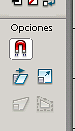
To change the size of an object by hand, we have the free transformation tool, in the clssic left side bar:
image021.png338 Bytes
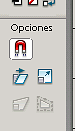
Bellow we can se various suboptions:
image023.png2.32 KB
as we want do: enlarge, rotate,....
To rotate, the rotation axis is the white circle in the image:
image011.png999 Bytes
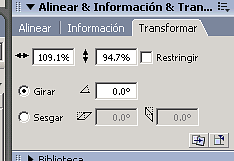
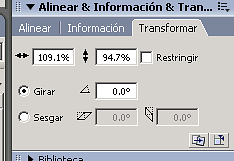
Another option is to transform the size in Window --> Trransform:
image025.png2.91 KB
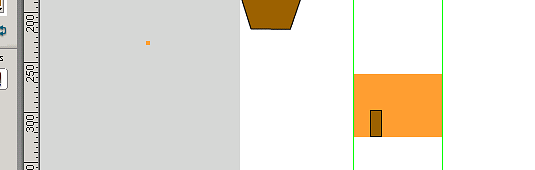
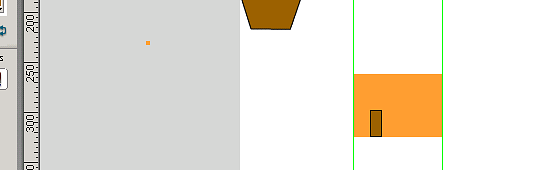
We use the green guides to fix the measures in the scene, to transfor after. You can take it dragging from the ruler:
image019.png2.52 KB
You can hide them with right button over the frame.
El tamaño y las medidas de los objetos en flash se administran de forma común a otro tipo de herramientas gráficas.
Para importar imágenes en otros formatos, sea jpg, png, gif,... Se hace con la opción de Importar: Archivo --> Importar, podemos importar imágenes en la biblioteca. Por ejemplo importamos el paisaje de nuestra película.
Para variar el tamaño de un objeto a mano alzada tenemos la herramienta de transformación libre, en la barra clásica:
image021.png338 Bytes
Un poco más abajo se pueden ver varias subopciones:
image023.png2.32 KB
según lo que queramos hacer: agrandar, girar,....
Para girar, el eje de giro es el circulito de cada imagen:
image011.png999 Bytes
Otra opción para modificar el tamaño es la Ventana --> Transformar:
image025.png2.91 KB
Las guías verdes pueden servir para fijar medidas de en la escena, luego encajarlas dentro. Se sacan arrastrando desde las reglas:
image019.png2.52 KB
Se pueden esconder con el botón derecho sobre el frame.
Nov 22, 07 by Juan Lebrijo about MySQL, Administration, blog
PHPMyAdmin is an administrator of the MySQL data base. Administraton application developed in PHP.
We can publish it in a web server and administer securely our MySQL DBMS remotely, with the only requisite of a web browser.
We are going to installa it in a LAMP server (Linux+Apache+MySQL+PHP).
As usually I give us my reference table:
Origin
http://www.phpmyadmin.net
Repository
http://www.phpmyadmin.net/home_page/downloads.php
Package
phpMyAdmin-2.11.0-all-languages.tar.gz
Documentation (english)
http://wiki.cihar.com/pma/Welcome_to_phpMyAdmin_Wiki
Installation in the shell:
Unzip, and move the directory to the web root:
tar -zxvf phpMyAdmin-2.11.0-all-languages.tar.gz
mv phpMyAdmin-2.11.0-all-languages /var/www/mysql
Copy the generic configuration file to the real one:
cd /var/www/mysql
cp config.sample.inc.php config.inc.php