tar -zxvf phpldapadmin-1.1.0-alpha3.tar.gz
mv phpldapadmin-1.1.0-alpha3 /var/www/ldap
Copiamos el fichero de configuración por defecto:
cd /var/www/ldap
cp config/config.php.example config/config.php
Configuración:
Añadir el servidor 0 (podremos administrar por tanto tantos directorios como queramos):
$ldapservers->SetValue($i,'server','name','Nombre descriptivo para el servidor');
// En este caso el directorio esta en la misma máquina que PHPLDAPAdmin, si no
// fuera así pondriamos la IP que correspondiera.
$ldapservers->SetValue($i,'server','host','127.0.0.1');
// Puerto de escucha del servicio
$ldapservers->SetValue($i,'server','port','389');
// Dominio del directorio
$ldapservers->SetValue($i,'server','base',array('dc=lebrijo,dc=com'));
$ldapservers->SetValue($i,'server','auth_type','session');
$ldapservers->SetValue($i,'login','attr','cn');
$ldapservers->SetValue($i,'login','pass','');
Attr=cn, para poder entrar con el usuario admin del servidor LDAP para administrarlo.
OJO: habría que mejorar la seguridad encriptando con https.
En el /etc/php5/apache2/php.ini subimos el límite de memoria de 16 a 32 MB:
memory_limit = 32M
El acceso web sería: http://www.tudominio.com/ldap/
Unzip and move the pacckage to the web root directory:
tar -zxvf phpldapadmin-1.1.0-alpha3.tar.gz
mv phpldapadmin-1.1.0-alpha3 /var/www/ldap
Copy the default config file to the real config file:
cd /var/www/ldap
cp config/config.php.example config/config.php
Configuration:
Add the server (we could administer many directories as we want):
$ldapservers->SetValue($i,'server','name','Descriptive name for the server');
// In my case the directory is in the same machine as PHPLDAPAdmin, unless
// we write the server IP.
$ldapservers->SetValue($i,'server','host','127.0.0.1');
// Port of the service
$ldapservers->SetValue($i,'server','port','389');
// Directory domain
$ldapservers->SetValue($i,'server','base',array('dc=lebrijo,dc=com'));
$ldapservers->SetValue($i,'server','auth_type','session');
$ldapservers->SetValue($i,'login','attr','cn');
$ldapservers->SetValue($i,'login','pass','');
Attr=cn, to login with the admin user of the LDAP directory, to administer the server.
Warning: we must ensure it encrypting with https.
In the /etc/php5/apache2/php.ini change the memory limit from 16 to 32 MB:
memory_limit = 32M
The web access will be: http://www.tudominio.com/ldap/
Arriving to the Flash jewell, the animations. Until now we have edited images, and we have better tools for this purpose, like Photoshop (from Adobe).
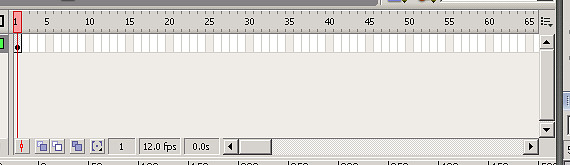
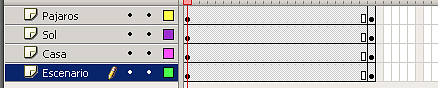
The frameset palette mark us the scene in the time axe:
image027.png2.92 KB
To delete the frames good:
Select the frames.
Right mouse button --> delete frames
Making an animation frame to frame:
Right mouse button “Insert a key frame” or F6 in the following frame.
Change the image a little.
Insert the key frame in the following,....
But is more comfortable the "Movement interpolation animation" (all from right mouse button):
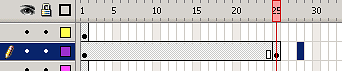
Insert a key frame in a long interval
image029.png1.28 KB
Insert with “Create Interpolation” (pussing intro we can see the movement).
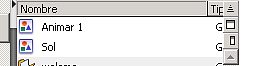
When creates an interpolation it is created a symbol in the root object “Animar 1”. “Sol” is an instance of "Animar 1", it is the animation.
image031.png1.63 KB
To create frames for all and see the movement, in the scene, Right mouse button Insert frame over all the layers.
image033.png1.91 KB
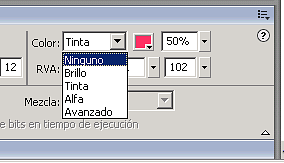
We can interpolate the colour as the movement:
image035.png2.63 KB
You can see the example in the following file, anime one sun and some birds (source):