Aug 08, 10 by Juan Lebrijo about SoapUI, Web Services, weblogic, blog
Para el post de hoy vamos a ver como se asegura un Servicio Web con HTTP Auth, básica, en Weblogic. Para ello nos podemos basar en un proyecto anterior en el que creamos un WS muy básico: Hello World.
En el Security Realm > MyRealm tenemos que crear:
Usuario: user/12345678
Grupo: TutorialUser
Añadir el usuario al grupo
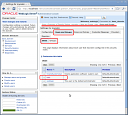
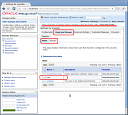
En la consola de Weblogic, como vemos en la figura:
manage_users_groups.thumbnail.png11.4 KB
En el web.xml hay que añadir la configuración de seguridad pertinente (path, tipo básico,....):
        Regla01

            WSPOST

            /*
            POST


            TutorialUser


        5


        BASIC
        myrealm


        TutorialUser
Y en el weblogic.xml mapeamos con el rol (si no hacemos esto no funcionará):
        TutorialUser
        TutorialUser
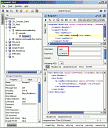
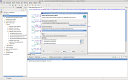
Podemos probarlo con SoapUI creando un nuevo proyecto de WS, con la dirección del WSDL (http://localhost:7001/wsc/HelloService?WSDL) y las credenciales creadas en WebLogic anteriormente:
1007.thumbnail.gif7.87 KB
Aug 08, 10 by Juan Lebrijo about SoapUI, Web Services, weblogic, blog
In this post we are going to see how to secure a Web Service with basic HTTP Auth, in weblogic. We will base in a previous project where we created a very basic WS: Hello World.
In the Security Realm > MyRealm we have to create:
An user: user/12345678
A group: TutorialUser
Add the user to the group
In the Weblogic console as we see on the picture:
manage_users_groups.thumbnail.png11.4 KB
In web.xml we have to add the security confs needed (path, basic type,....):
        Regla01

            WSPOST

            /*
            POST


            TutorialUser


        5


        BASIC
        myrealm


        TutorialUser
In weblogic.xml map the application role with server role (it is mandatory):
        TutorialUser
        TutorialUser
We can test with SoapUI creating a new WS project, with WSDL address (http://localhost:7001/wsc/HelloService?WSDL) and previous Weblogic credentials created:
1007.thumbnail.gif7.87 KB
Aug 04, 10 by Juan Lebrijo about Web Services, spring, weblogic, Eclipse, blog
Today we will create a SOAP Web Service, based on LebrijoSchool project which we were making in early weeks over Oracle-Weblogic Architechture.
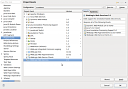
First of all is to add the Web Services facet. Right button > Properties ... :
add_ws_facet.thumbnail.png9.14 KB
After, we will create the class from a Spring Service class. Right button > New > WebLogic Web Service for Spring Beans:
expose_spring_as_ws.thumbnail.png6.69 KB
Choose the Service, and the methods that we want to publish as Web Service.
Finally put it in the logical package: lebrijo.school.webservices. And name it as "SchoolCertificatesWS".
This is the code:
	@Autowired
	@Qualifier("RegistryService")
	private IRegistryService springServ;

	@WebMethod
	public Registry findRegistryById(java.lang.String id) throws Exception {
		return springServ.findRegistryById( id );
	}