Aug 08, 10 by Juan Lebrijo about SoapUI, Web Services, weblogic, blog
In this post we are going to see how to secure a Web Service with basic HTTP Auth, in weblogic. We will base in a previous project where we created a very basic WS: Hello World.
In the Security Realm > MyRealm we have to create:
An user: user/12345678
A group: TutorialUser
Add the user to the group
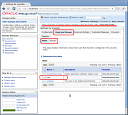
In the Weblogic console as we see on the picture:
manage_users_groups.thumbnail.png11.4 KB
In web.xml we have to add the security confs needed (path, basic type,....):
        Regla01

            WSPOST

            /*
            POST


            TutorialUser


        5


        BASIC
        myrealm


        TutorialUser
In weblogic.xml map the application role with server role (it is mandatory):
        TutorialUser
        TutorialUser
We can test with SoapUI creating a new WS project, with WSDL address (http://localhost:7001/wsc/HelloService?WSDL) and previous Weblogic credentials created:
1007.thumbnail.gif7.87 KB