Jul 09, 10 by Juan Lebrijo about Oracle, weblogic, Eclipse, blog
In the last posts we had defined an Oracle EE architecture, we had installed Oracle XE and we connected it to our Eclipse, and we designed our data model for our example application.
Now we have to create a basic Eclipse project running on Weblogic.
I have installed on my Ubuntu 10.04:
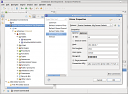
We can create a DDBB connection from the Eclipse Database perspective. As we see on the figure:
eclipse_db_conn.thumbnail.png11 KB
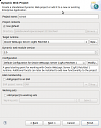
In order to create the Eclipse project: File > New ... > Dynamic Web Project, choosing the Weblogic Server configuration.
new_dyn_web_proj.thumbnail.png12.2 KB
Now we have to create the package structure:
lebrijo.school.model: The classes for the model
lebrijo.school.dao: Data Access classes
lebrijo.school.services: Business classes, code for the data processing
lebrijo.school.webservices: Web Services served classes
lebrijo.school.aspects: Classes which intercepts the execution cicle of others (Aspectos, Handlers, Filters,...)
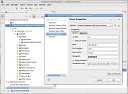
Como indicabamos en su correspondiente artículo podemos crear una conexión a nuestra BBDD desde La perspectiva de Base de Datos de Eclipse. Como undica la figura:
eclipse_db_conn.thumbnail.png11 KB
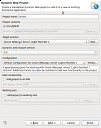
Para crear el proyecto en Eclipse: Archivo > New ... > Dynamic Web Project, seleccionando la configuración del Servidor de Weblogic.
new_dyn_web_proj.thumbnail.png12.2 KB
Ahora vamos a crear la estructura de paquetes del proyecto:
lebrijo.school.model: Las clases de modelo del proyecto
lebrijo.school.dao: Clases de acceso a datos
lebrijo.school.services: Clases de negocio, todo el código de procesamiento intermedio de datos
lebrijo.school.webservices: Clases que representan a los WS servidos
lebrijo.school.aspects: Clases que intervienen en el proceso de ejecución de otras (Aspectos, Handlers, Filters,...)
Jul 05, 10 by Juan Lebrijo about Web, Java, Eclipse, blog
There is a very basic choice for templating creation with JSP based on "includes. It could be useful to response quickly to a client, very little project, avoid to use heavy technologies, or we want to deploy our project on every application server.
The technique creates little JSP code chunks for header and footer. After create all pages from a template.
With our Eclipse go to New ... > Dynamic Web Project, we will call basic_templating
The basic template for every page will be:
Then we can define all chosen styles in the file /style/templates/styles.jsp:
The header and footer for all the application will be:
/style/templates/header.jsp
/style/templates/footer.jsp
We can see the result in the following screenshot:
basic_templating.thumbnail.png15.8 KB
I keep the project in this eclipse zip file