Jul 09, 10 by Juan Lebrijo about Oracle, weblogic, Eclipse, blog
In the last posts we had defined an Oracle EE architecture, we had installed Oracle XE and we connected it to our Eclipse, and we designed our data model for our example application.
Now we have to create a basic Eclipse project running on Weblogic.
I have installed on my Ubuntu 10.04:
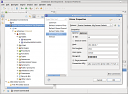
We can create a DDBB connection from the Eclipse Database perspective. As we see on the figure:
eclipse_db_conn.thumbnail.png11 KB
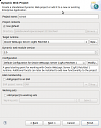
In order to create the Eclipse project: File > New ... > Dynamic Web Project, choosing the Weblogic Server configuration.
new_dyn_web_proj.thumbnail.png12.2 KB
Now we have to create the package structure:
lebrijo.school.model: The classes for the model
lebrijo.school.dao: Data Access classes
lebrijo.school.services: Business classes, code for the data processing
lebrijo.school.webservices: Web Services served classes
lebrijo.school.aspects: Classes which intercepts the execution cicle of others (Aspectos, Handlers, Filters,...)