Sep 20, 10 by Juan Lebrijo about weblogic, JDeveloper, blog
Mi pretensión al estudiar estas tecnologías es mejorar el modelado de los procesos de negocio, mezclando de una forma clara:
Tareas humanas --> (ADF Web apps design)
Servicios web
Antiguas tecnologías
Sincronizar con eventos de negocio
Definición de Reglas de negocio
Me parece que controlando esto, y con un buen sistema de análisis, ofreces una gran herramienta para controlar los sistemas de información de un negocio, y por tanto dirigirlo muy bien.
Hoy vamos a instalar toda la plataforma para desarrollar y desplegar aplicaciones SOA.
Basándonos en la lista de lo necesario para crear nuestro banco de pruebas Oracle SOA 11g, instalaremos:
SOA Suite 11.1.1.2.0: ofm_soa_generic_11.1.1.2.0_disk1_1of1.zip
Parches SOA Suite 11.1.1.3.0: ofm_soa_generic_11.1.1.3.0_disk1_1of1.zip
RCU: Repository Creation Utility
Con esto creamos los esquemas en nuestra BBDD de todos los productos SOA.
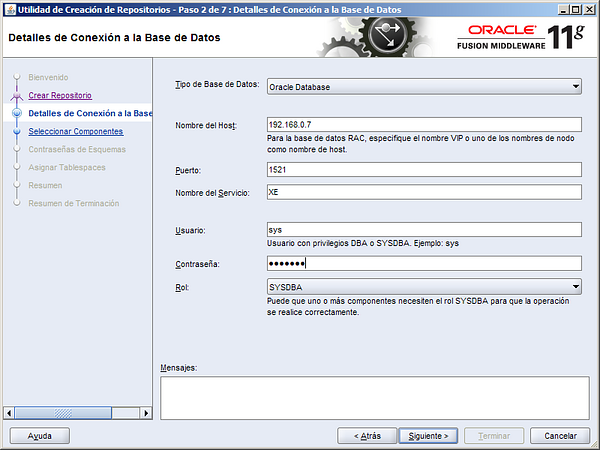
Repository Creation Utility: ofm_rcu_win32_11.1.1.3.3_disk1_1of1.zip descomprimir a C:\Oracle\rcuHome, y ejecutar BIN\rcu.bat
image003.png105 KB
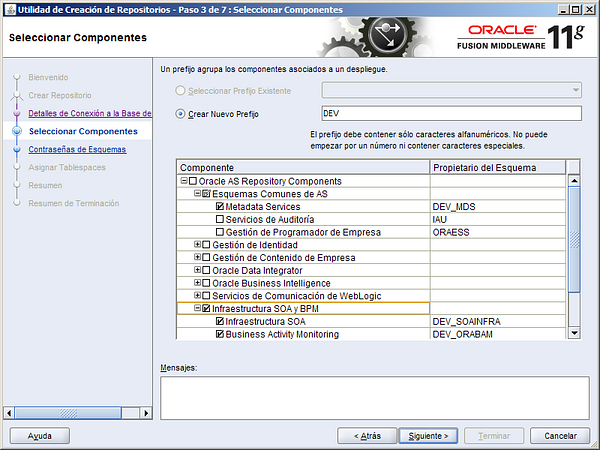
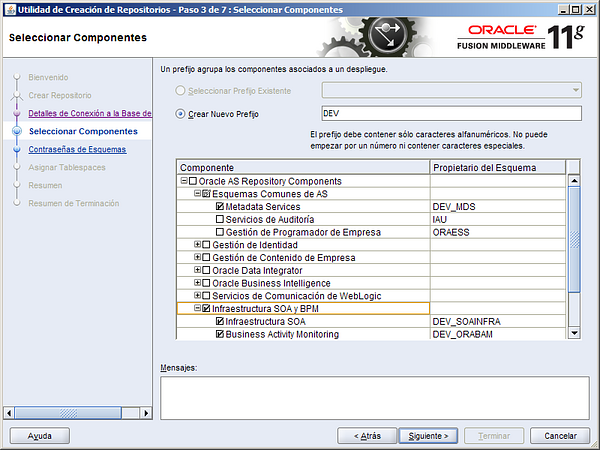
Ignorar cualquier aviso de incompatibilidad, y seleccionar SOA Infraestructura and BPM, se añadiran los esquemas dependientes:
image005.png139 KB
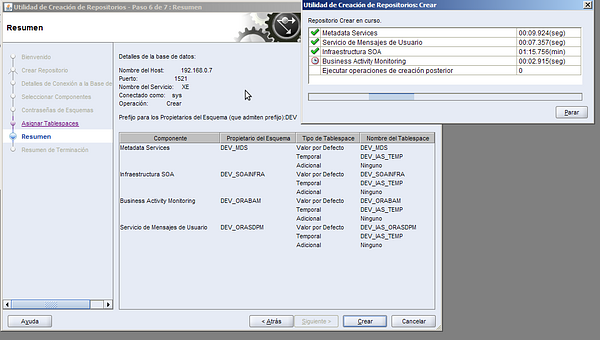
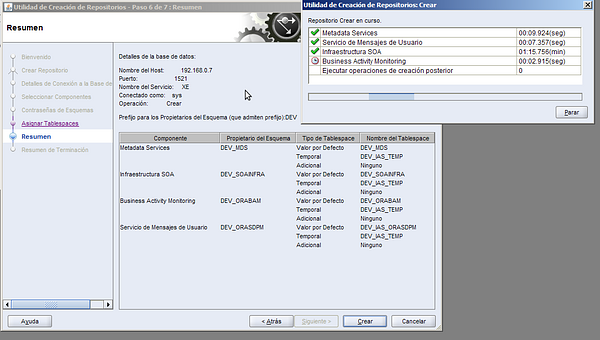
Se crean los siguientes esquemas en tu BBDD:
pantallazo-1.png103 KB
Como contraseña de los esquemas welcome1
SOA Suite
Este paso no tiene más complicación.
SOA Suite 11.1.1.2.0: ofm_soa_generic_11.1.1.2.0_disk1_1of1.zip
Sobre el directorio Disk1 ejecutamos: setup -jreLoc C:\Oracle\Middleware\jdk160_18
Lo instalaremos en C:\Oracle\Middleware\Oracle_SOA1
Parches SOA Suite 11.1.1.3.0: ofm_soa_generic_11.1.1.3.0_disk1_1of1.zip.
Sobre el directorio Disk1 ejecutamos: setup -jreLoc C:\Oracle\Middleware\jdk160_18
Crear un dominio configurado para SOA
Ejecutar C:\Oracle\Middleware\Oracle_SOA1\common\bin\config.cmd
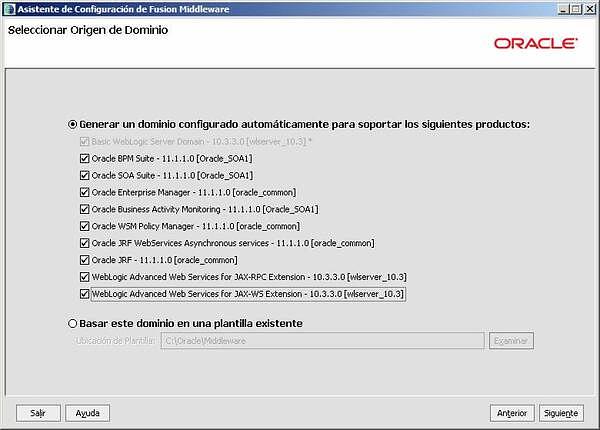
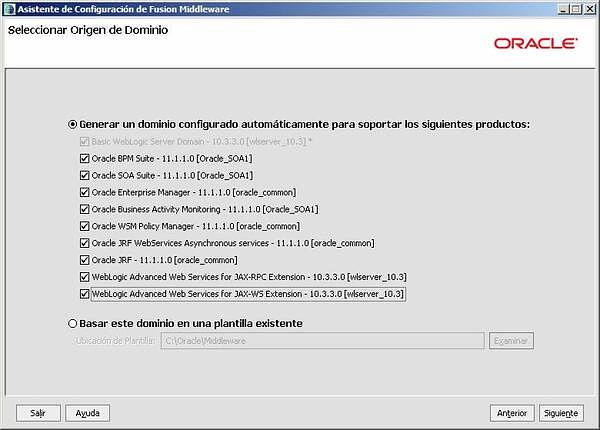
Crear un nuevo dominio de Weblogic, con todos los productos SOA:
image008.jpg29.5 KB
El nombre del dominio será: domain1, password para el administrador: welcome1
Seleccionamos al JVM: Sun SDK 1.6.0_18 @ C:\Oracle\Middleware\jdk160_18
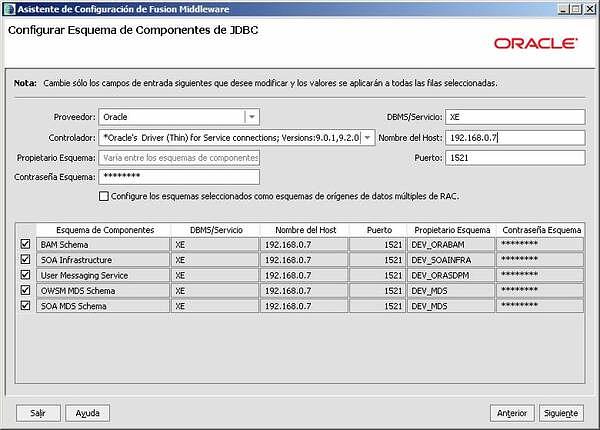
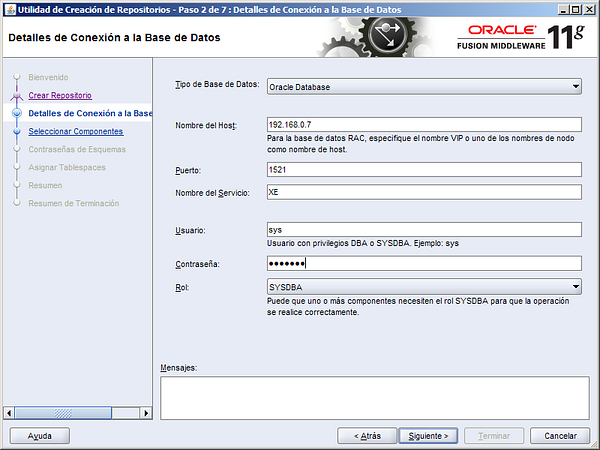
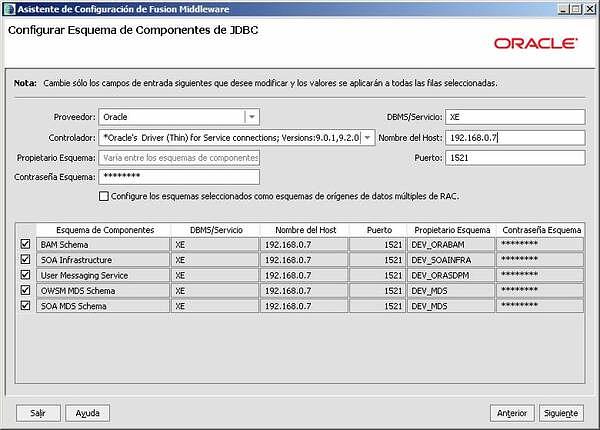
Creamos la conexión a la BBDD de todos los esquemas que montamos con el RCU:
image010.jpg38.2 KB
Sin añadir configuraciones opcionales, terminar la creación.
SOA Extension for JDeveloper
En JDeveloper Help > Check for Updates > Search Update Centers > Oracle Fusion Middleware Products debe estar marcado. Marcar los siguientes productos:
Oracle BPM Studio
Oracle SOA Composite Editor
Consolas que se pueden ver
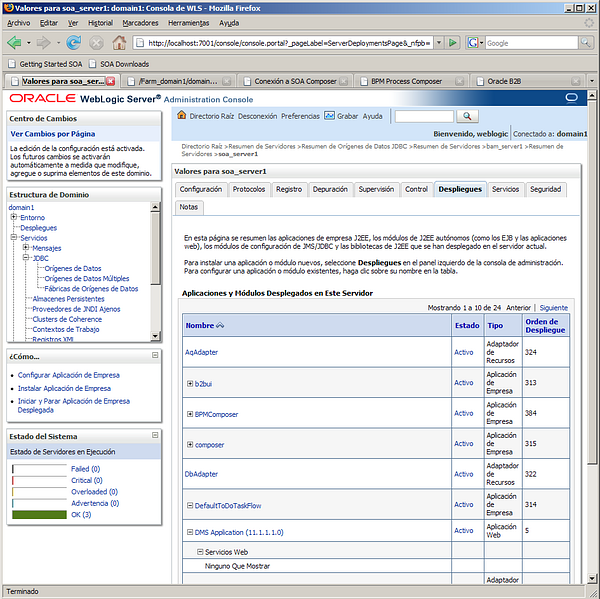
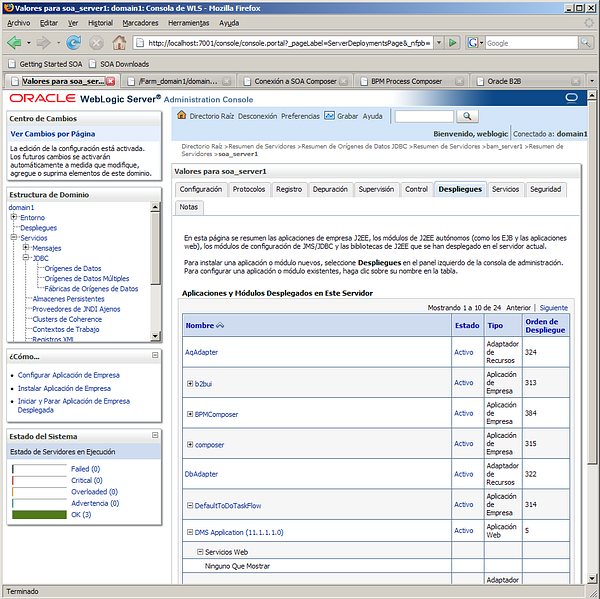
Weblogic administration console:
image011.png222 KB
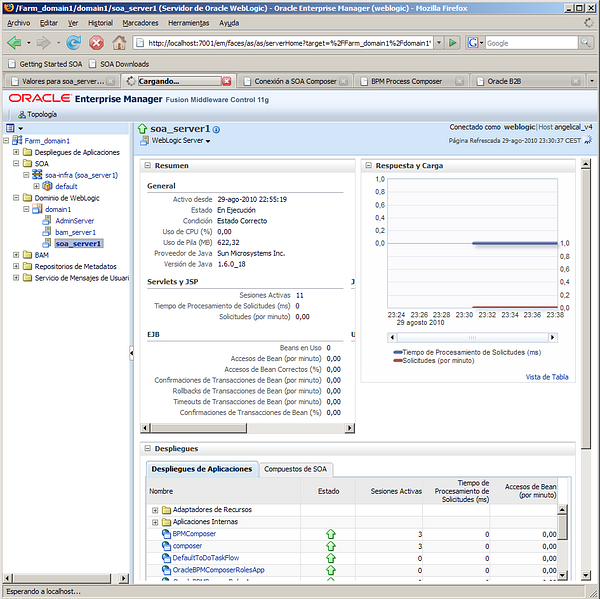
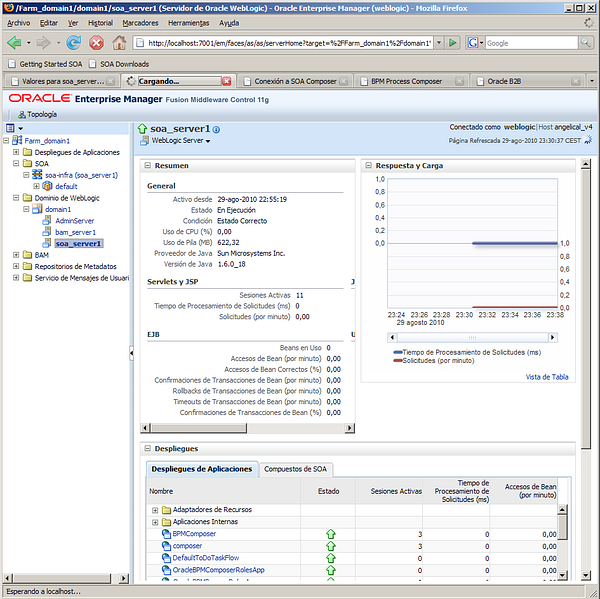
Enterprise manager:
image013.png200 KB
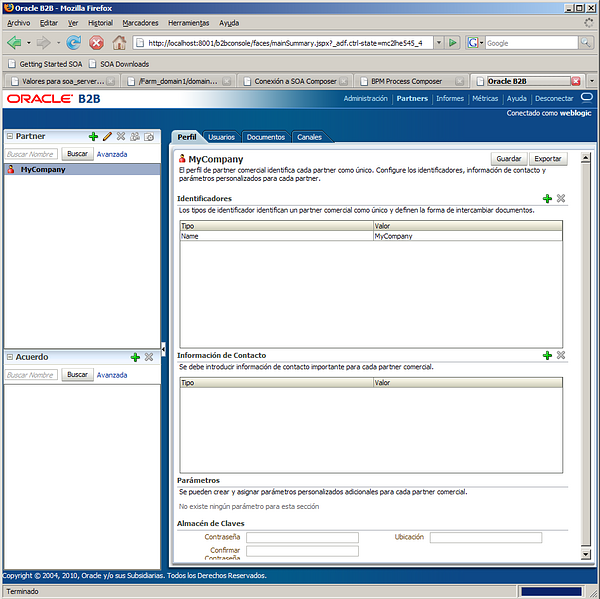
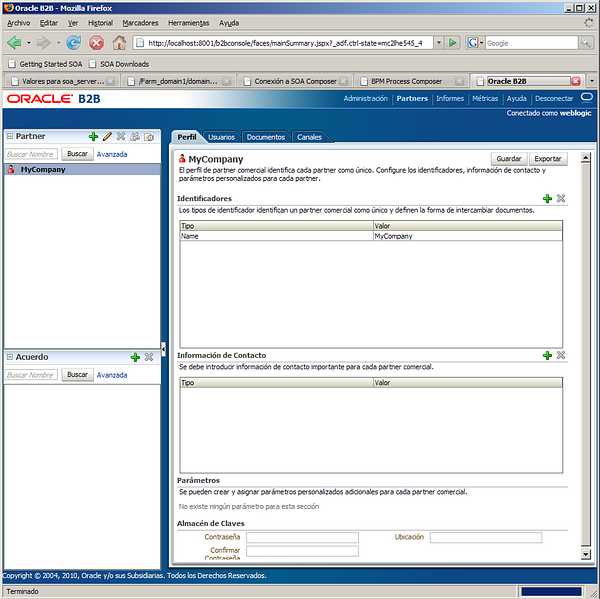
B2B console:
image015.png139 KB
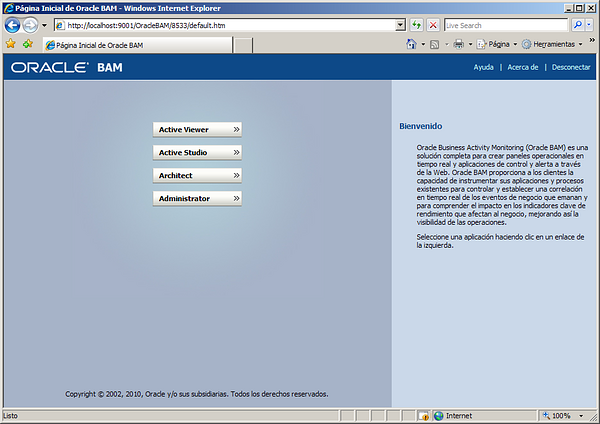
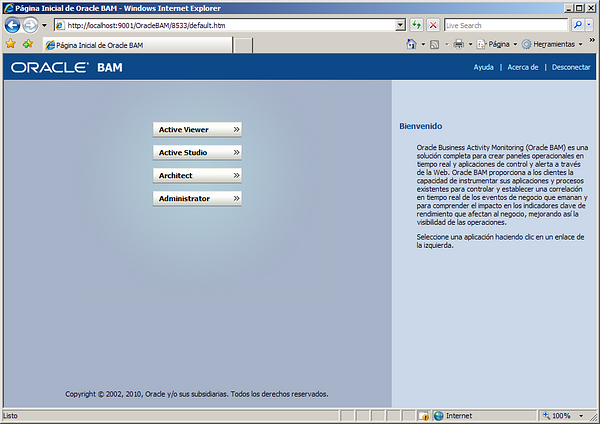
Business Activity Monitor (BAM) solo con IE:
image017.png128 KB
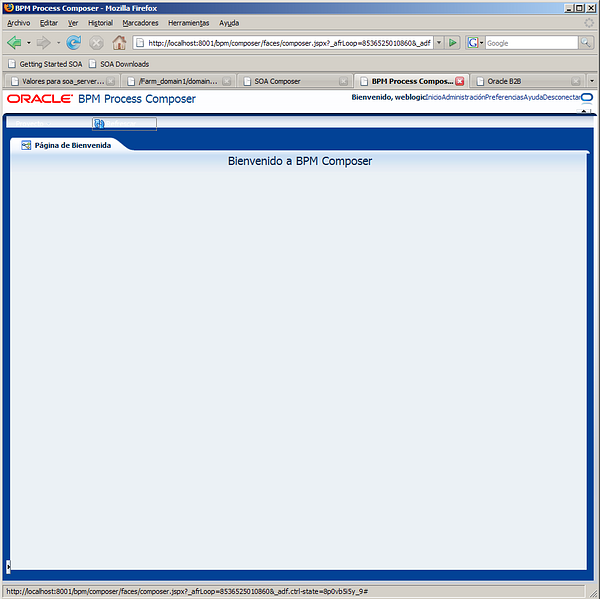
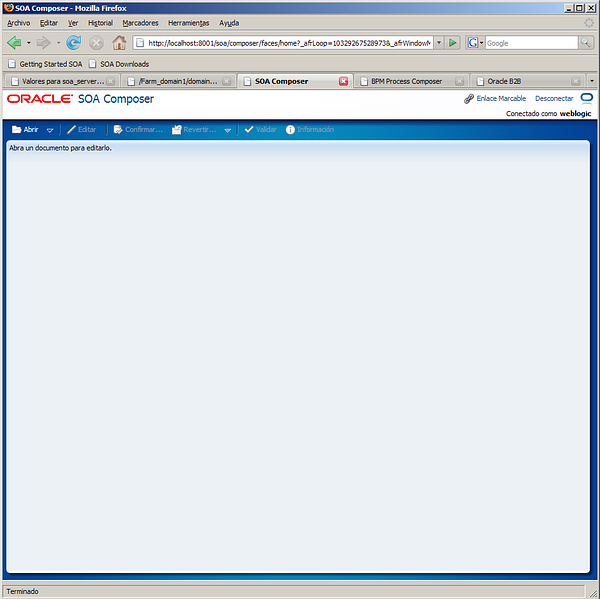
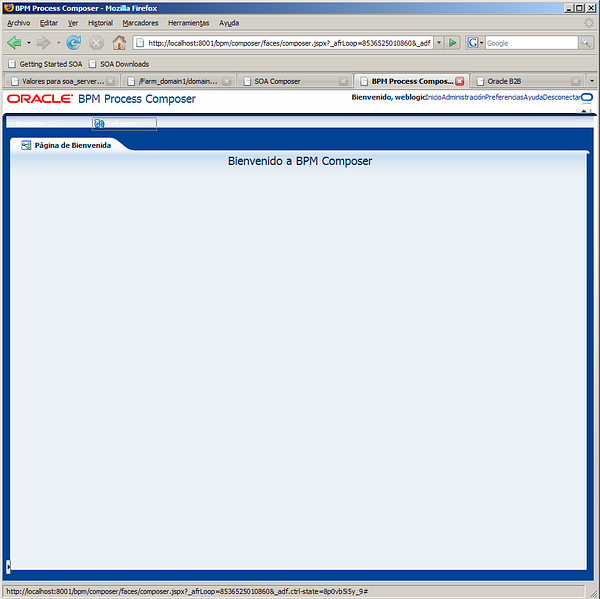
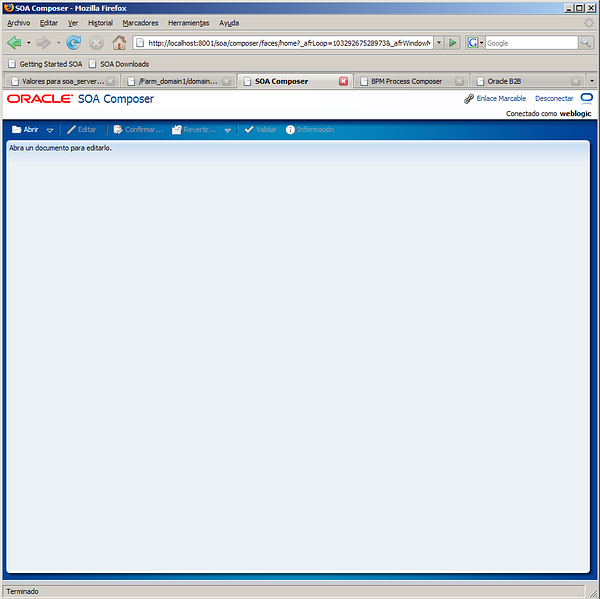
Soa/composer y bpm/composer:
image021.png75.1 KBimage019.png67.2 KB
Sep 20, 10 by Juan Lebrijo about SOA, weblogic, JDeveloper, blog
My desires when I study this technologies is improving the business proccess modeling, mixing in a clean way:
Human tasks --> (ADF Web apps design)
Web Services
Legacy technologies
Synchronize with business events
Define business rules
I think that controlling all this points, and with a good analysis system, you can get a great tool to manage the business information system, and so, managing good.
Today we will install all the platform to develop and deploy SOA applications.
Based in the needed list to creat our Oracle SOA 11g test bank, we will install:
SOA Suite 11.1.1.2.0: ofm_soa_generic_11.1.1.2.0_disk1_1of1.zip
SOA Suite 11.1.1.3.0 patches: ofm_soa_generic_11.1.1.3.0_disk1_1of1.zip
RCU: Repository Creation Utility
On this step we will create all the DB schemas needed to allocate all the SOA products.
Repository Creation Utility: ofm_rcu_win32_11.1.1.3.3_disk1_1of1.zip Unzip to C:\Oracle\rcuHome, and execute BIN\rcu.bat
image003.png105 KB
Ignore every incompatibility warning, and select SOA Infraestructura and BPM, it will add the dependent schemas:
image005.png139 KB
We will create the following schemas in your DB:
pantallazo-1.png103 KB
I put as schema passwords welcome1
SOA Suite
This is a very easy step (next-next installation).
SOA Suite 11.1.1.2.0: ofm_soa_generic_11.1.1.2.0_disk1_1of1.zip
On the Disk1 directory, execute: setup -jreLoc C:\Oracle\Middleware\jdk160_18
Install it on C:\Oracle\Middleware\Oracle_SOA1
SOA Suite patches 11.1.1.3.0: ofm_soa_generic_11.1.1.3.0_disk1_1of1.zip.
On the Disk1 directory execute: setup -jreLoc C:\Oracle\Middleware\jdk160_18
Creating a Weblogic domain for SOA
Execute C:\Oracle\Middleware\Oracle_SOA1\common\bin\config.cmd
Create a ne Weblogic domain with all SOA products:
image008.jpg29.5 KB
The domain name will be: domain1, and the admin password: welcome1
Select JVM: Sun SDK 1.6.0_18 @ C:\Oracle\Middleware\jdk160_18
Create the DB conecction to the schemas created with RCU:
image010.jpg38.2 KB
Terminate the creation without optional config.
SOA Extension for JDeveloper
In JDeveloper Help > Check for Updates > Search Update Centers > Oracle Fusion Middleware Products must be checked. Check the following products:
Oracle BPM Studio
Oracle SOA Composite Editor
Management consoles
Weblogic administration console:
image011.png222 KB
Enterprise manager:
image013.png200 KB
B2B console:
image015.png139 KB
Business Activity Monitor (BAM) only through IE:
image017.png128 KB
Soa/composer and bpm/composer:
image021.png75.1 KBimage019.png67.2 KB
Sep 15, 10 by Juan Lebrijo about weblogic, JDeveloper, blog
Vamos a instalar estos dos productos en un Windows XP, en una máquina de VirtualBox. La versión elegida es la 11g - 10.3.3.
Podemos descargar todo el software de la página de descargas de Fusion MiddleWare.
Para instalar WebLogic Server 10.3.3 descargaremos el paquete wls1033_win32.exe. Y a través de wizards lo instalaremos en C:\Oracle\Middleware. No tiene ninguna complicación más.
Luego podremos crear dominios separados con su herramienta de configuración en C:\Oracle\Middleware\wlserver_10.3\common\bin\config.cmd
Yo lo he instalado a parte pero con el paquete de JDeveloper viene un Weblogic embebido que podemos utilizar para nuestros desarrollos. Quedaría en el mismo directorio organizado si instalamos JDeveloper en el raíz de Middleware.
Para instalar JDeveloper 11.1.1.3.0 descargamos jdevstudio11113install.jar. Y ejecutamos: java -jar jdevstudio11113install.jar (ciertamente para linux es lo mismo).
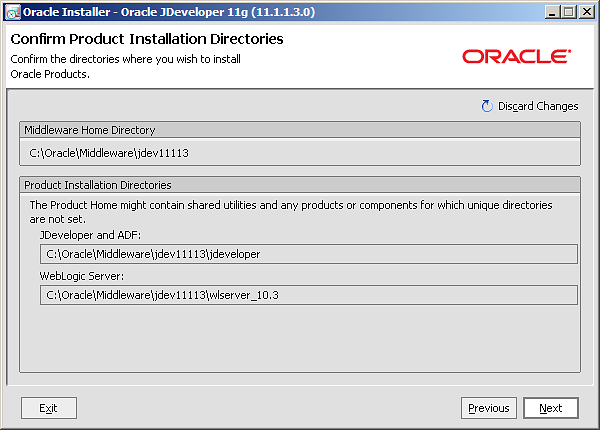
Instalamos en C:\Oracle\Middleware\jdev11113. Esto lo haremos para que nos instale un nuevo servidor embebido del IDE separado del que instalamos antes.
Utilizaremos la JDK que trae por defecto la instalación de WebLogic: Sun SDK 1.6.0_18 (C:\Oracle\Middleware\jdk160_18)
Se instalara en el siguiente path:
image001.png13.7 KB