Aug 12, 10 by Juan Lebrijo about weblogic, JDeveloper, blog
Open JDeveloper with "Default role" option, to activare al environment features. We are interested in JEE and database development features.
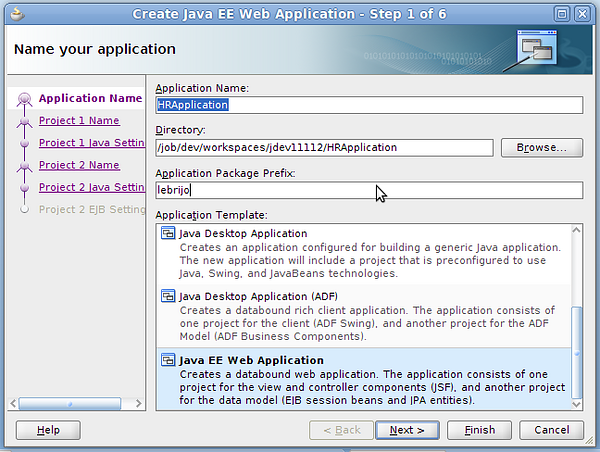
File > New > Java EE Web Application, then we are creating the new application estructure:
create_app.png184 KB
Put the name "HRApplication", and it creates two projects on the app:
ViewController: contains the view of our application, which corresponds with ADF technology based on JSF standard.
Model: contains EJB session beand and JPA entities.
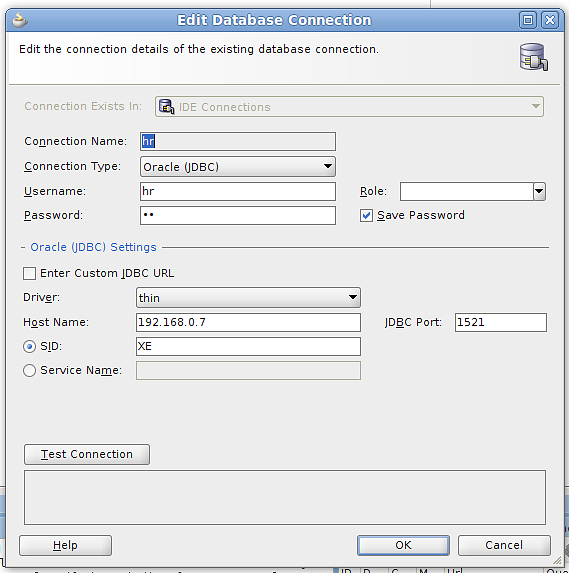
To create a database connection go to the "Database Navigator" tab, and with right buton> New, introduce the connection configuration:
db-connection.png31.2 KB
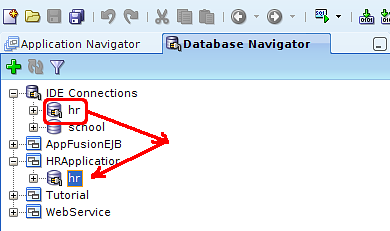
Drag and drop the connection to our application:
drag_drop_hr.png17.9 KB
Then we are ready to start modeling and programming.