Nov 29, 07 by Juan Lebrijo about design, Windows, blog
Searching for improving my XP boring desktop, i found some ideas which I am going to show you.
The XP Desktop seems obsolete by Vista Aero or the 3D linux desktop (Compiz-beryl), but I believe that is very important nowadays, really is the more used.
We mount the applications over a Windows XP system with Service Pack 2.
Really mounting applications over Windows is as easy as download and execute it; then we only show the aplications and the links to download.
Widgets to customize your desktop
A way to become pretty your enviroment are the yahoo barr gadgets, clock, system monitor, calendar, and more. Certainly they take much memory, but the keep very well in the desktop and they appear very pretty. At same time I installed the Google toobar, but have less widgets, and the esthethic y more awful, but it takes less memo.
The installation proccess is easy:
After, choose and install more interest widgets in its Galery.
Visual Task Tips
Other tool are the drawing windows in the task bar:
tips.PNG59.3 KB
They are the images of the active tasks in the bar. You can find it in the web of the proyect: Visual Task Tips.
Wallpaper
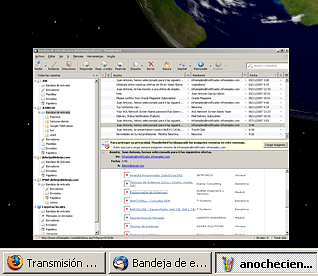
At last my favourite app: Xplanet. This tool makes a wallpaper periodically with instant Solar System situation, from your chosen point of view.
Obiously is a renderization with skins, planets and satelital orbits, from an athrologic calculation. The only real skin is the clouds map which is taken from meteorologic satelites.
The thing I like more is the views which you could see. In amy desktosp I have the earth and moon updating every ten minutes, then I can see nightfalling and dawn the planet, and the relative possition of the moon. !!! As I am in my space ship window ¡¡¡¡¡
I must say that to configure it, I downloaded the GUI winXPlanetBG, in this page we have a little manual to configure the tool.
Of course you must loss some time reading the links to manage the tool and shopw some pretty wallpaper.
I leave some Desktop images:
[gallery=2]