sudo apt-get install curl
curl -L get.rvm.io | bash -s stable --auto
source /etc/profile.d/rvm.sh << or whatever says the console of rvm >>
After that, you need to check which RVM prerequisites depends on :
rvm requirements
Install last ruby version:
rvm install 2.1.2
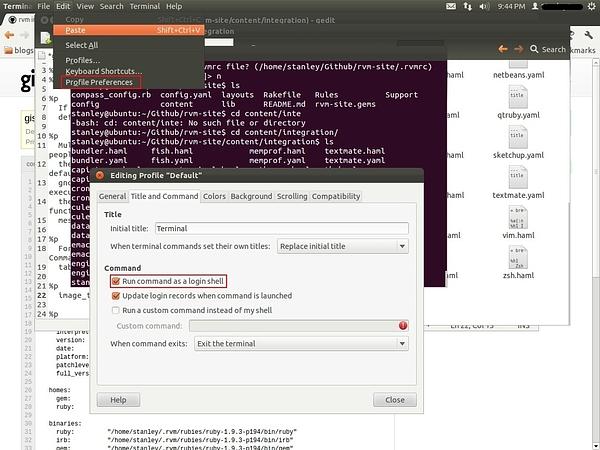
For .bashrc executing purposes, and execute RVM ruby version when open a project, you can integrate RVM with your Gnome terminal:
rvm-gnome-terminal-integration.jpg140 KB
Deeper explanation here: https://rvm.io/integration/gnome-terminal/
My favourite way to configure a Rails project ruby-version and gemset is in Gemfile:
#ruby=ruby-2.1.2
#ruby-gemset=website
But you always you can use .ruby-version and .ruby-gemset files.