To interact with the user, flash has a basic symbol: the button. It is the same as a classic button in all teh aplications you think, but flash have a distinctive treatment modus.
We are going to see the Text tools too.
Text
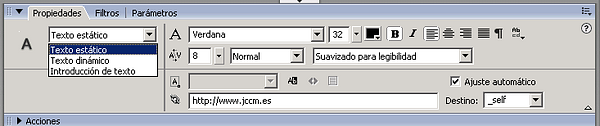
There is a square in the tools menu to make texts. The properties are shown in the palette when you work with texts:
image043.png40.2 KB
Warning: In the palette have the posibility to make a link.
Create buttons
It can be created, with a symbol from a rectangle, for example:
Drag a form, rectangle, to the library
Select the symbol type Button.
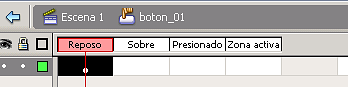
The time axis is different in the buttons:
image045.png2.11 KB
The usual pointer events:
Stand: Draw button.
Over: mouse over
Push: pshing mouse
Active zone: Limit the zone with activation of the pointer in the image.
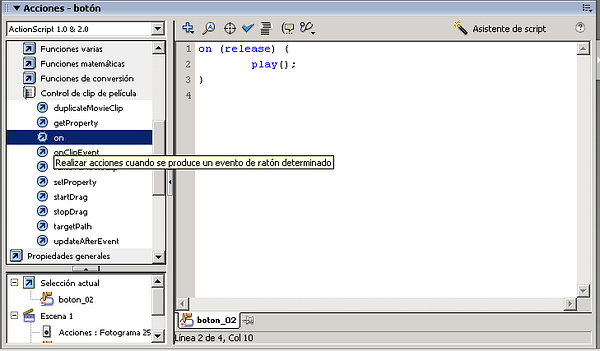
To add an action is staying over the button and marking the action (in actionscript):
image047.png87.2 KB
We can see an example with the las techiques explained (source):
Time axis with buttons
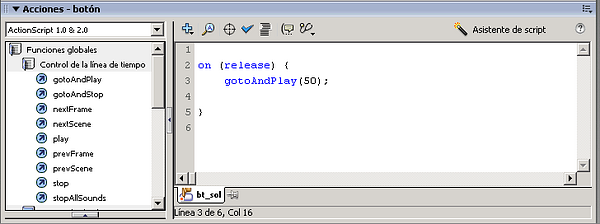
Na vigate from the time axis when you press a button (relase – when you take off the button), you can go to the 50 frame of the figure:
image049.png54.8 KB
An example qe can see in the following Flash article.