Jul 18, 10 by Juan Lebrijo about spring, Java, Eclipse, blog
In order to make the service layer and use the dependency injection we will take Spring.
Spring 2.5.6 is the OEPE default version supported.
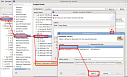
First we will add the Spring Facet to our project. Right mouse button over the project > Properties... :
add_spring_facet.thumbnail.png11.1 KB
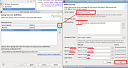
After genertate the ORM classes. They will generate with contextual menu > Spring > Generate Spring ORM Classes ...
new_orm_services.thumbnail.png8.28 KB
You can see, about the JPA defined in our persistence package, it will create th access classes and services ones. I recommend you see the lebrijo.school.services and lebrijo.school.dao packages.
After we must clean this class of methods, the generator generates all possibilities (remove, persist, findById,...). For example, if one entity of our model is a view, we can destroy persist or remove methods.
Here I keep the zip eclipse project after these steps.
Jul 13, 10 by Juan Lebrijo about Java, Database, Eclipse, blog
Today we will see how to make the persistence in a Eclipse project with EclipseLink JPA implementation.
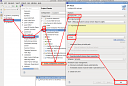
We will base in the last post Eclipse project. In the project properties (right buton) we will add the power to manage JPA entities, adding the facet:
eclipselink_facet.thumbnail.png11.1 KB
We will ue EclipseLink 1.1.2, it is the JPA implementation by defect in WebLogic 11g.
Generating entities from tables
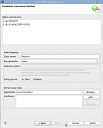
Over the project, in the contextual menu (right button), JPA > Generate Entities from Tables... We choose the conection SCHOOL, created in other posts, and tables REGISTRY and SCHOOLCERTIFICATES. Generating the entities in the package lebrijo.school.model:
gen_entities_from_tables.thumbnail.png9.55 KB
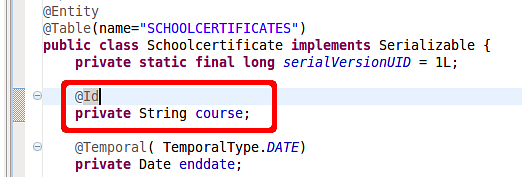
To maintain the JPA coherence we must add an Identifier on every classes, Registry has one, but we must add one to SchoolCertificates:
add_id.png22.9 KB
You may see the file src/META-INF/persistence.xml, how it configures the connection and map the entities.
Jul 13, 10 by Juan Lebrijo about Java, Database, Eclipse, blog
Veamos como implementar la persistencia en un proyecto de Eclipse con el estándar JPA implementado por EclipseLink.
Nos basaremos en el proyecto de Eclipse creado en el artículo anterior. En las propiedades (botón derecho) del proyecto añadimos el "poder" de manejar Entidades JPA, añadiendo el Facet:
eclipselink_facet.thumbnail.png11.1 KB
Utilizaremos EclipseLink 1.1.2 ya que es la implementación de JPA por defecto en WebLogic 11g.
Generar Entidades desde las tablas
Sobre el proyecto en el menu contextual (botón derecho), JPA > Generate Entities from Tables... Elegimos la conexión SCHOOL creada anteriormente, y las tablas REGISTRY y SCHOOLCERTIFICATES. Generando las entidades en el paquete lebrijo.school.model:
gen_entities_from_tables.thumbnail.png9.55 KB
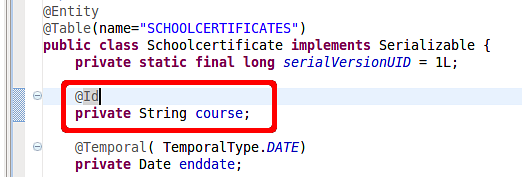
Para mantener la coherencia de JPA debemos añadir un Identificador a todas las clases, Registry lo tiene, pero a SchoolCertificates hay que añadírselo:
add_id.png22.9 KB
Es muy interesante observar el fichero src/META-INF/persistence.xml, como se configura la conexión y se mapean las entidades.