Jan 07, 08 by Juan Lebrijo about LDAP, Web, security, blog
Our target is that when is acceded the directory http://www.midominio.com/privado/, our server makes access control, then it ask for an user/password, and validate trough our directory server.
As usually, we install over Debian etch server, with Apache/2.2.3. We are based on oficial documentation, we need availabel the following modules:
This an very basic access control LDAP based. We could aply the "require group administrators" directive and we only allow access for the Administrators LDAP group. Or we could make this control in .htaccess file, if you do not have permissions to edit Apache configuration. At last, better way in the original source or googling a bit.
To close this series we are going to show two curiosities more: form interpolation, and object libraries in Flash 8 integrated.
Form interpolation
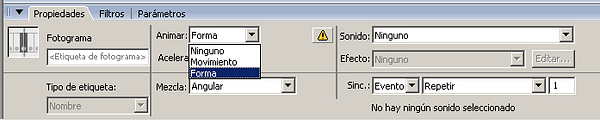
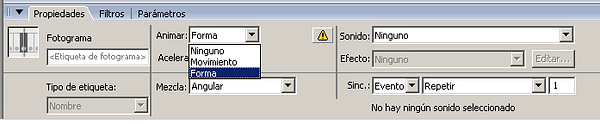
Norma is the movement interpolation, but this interpolation is greater. Mark in the initial frame form animation type:
image065.png39.4 KB
To interpolate photos we have the following objects: symbol, groups or bit maps. Convert them in "form". As: Manu Modify --> Separate.
We can see the example (source):
Common libraries
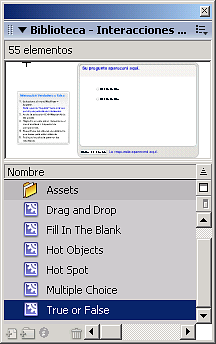
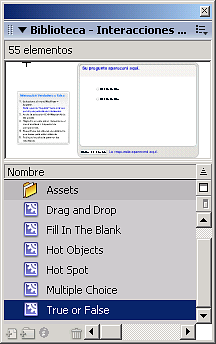
We have the usual objects as the buttons in: Windows --> Common libraries:
image051.png12.4 KB
Para cerrar la serie contaremos dos curiosidades más: las interpolaciones de forma, y las bibliotecas de objetos ya integradas en el entorno Flash 8.
Interpolación de forma
La directa es la interpolación de movimiento, pero esta interpolación es más espectacular. Se marca seleccionando el frame inicial:
image065.png39.4 KB
Para interpolar fotos no valen los siguientes objetos: símbolo,grupo o mapa de bits. Hay que convertirlos en "forma". Como: Menu "Modificar-->Separar.
Podemos ver el ejemplo (fuente):
Bibliotecas comunes
Tenemos los objetos más habituales, como botones: Ventana --> Bibliotecas comunes:
image051.png12.4 KB